
This website uses cookies so that we can provide you with the best user experience possible. Cookie information is stored in your browser and performs functions such as recognising you when you return to our website and helping our team to understand which sections of the website you find most interesting and useful.
Font Size:
Introduction
Key Features
Uniqueness
Frequently Asked Questions
Open-Source?
Registration Needed?
Installation Required?
AI-empowered?
Specifications
URL:
Country or Region:
Author(s):
License:
Operating System(s):
Language(s):
Registration Needed:
Installation Required:
Video Demonstration
User Guide
This guide outlines how to use the command-line installer Scoop to manage software on Windows, including installing applications and managing software versions.
(Reference Version: 0.5.2)
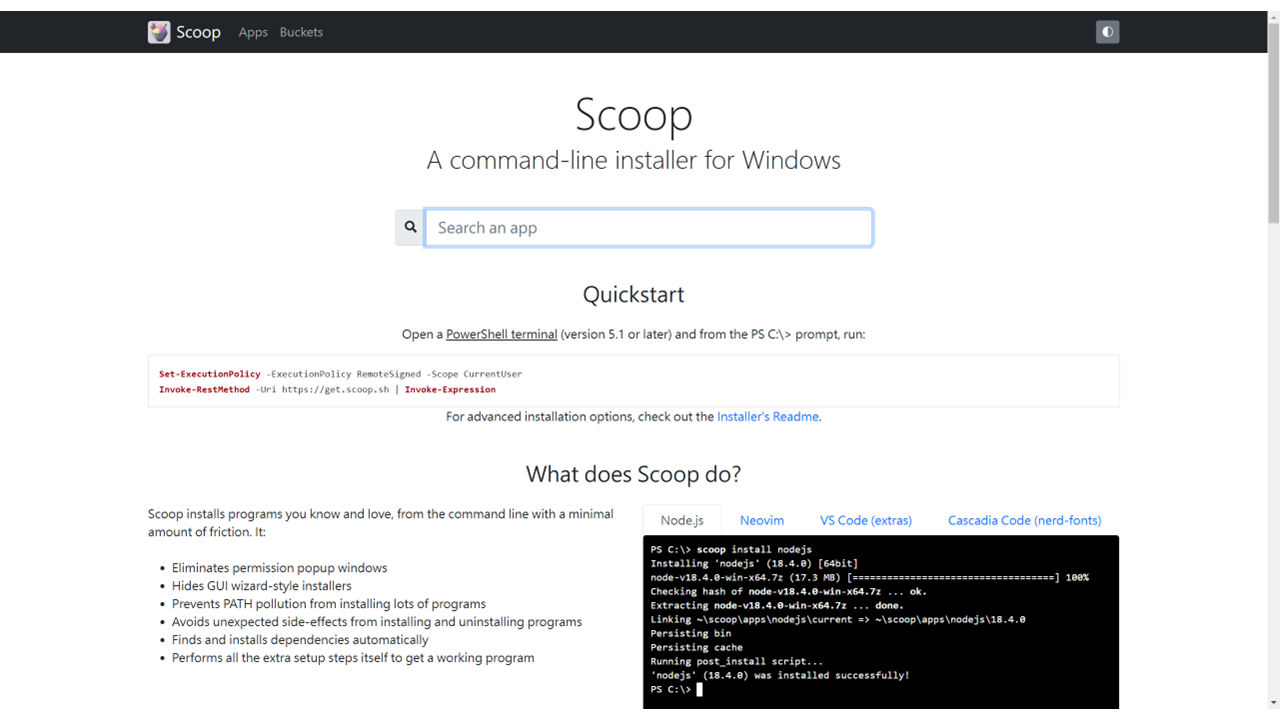
Download and Install Scoop
| a. | Open the Start Menu, type PowerShell, and select Windows PowerShell; |
| b. | Input the following command and press Enter (Note: This command changes the execution policy for the user account and only needs to be run once before installation);Set-ExecutionPolicy RemoteSigned -Scope CurrentUser |
| c. | Input the following command, and press Enter to install Scoop.irm get.scoop.sh | iex |
Install and Uninstall Applications
| a. | Input the following command into PowerShell and press Enter to find an application;scoop search <application-name> |
| b. | Input the following command and press Enter to install the application (Note: Scoop manages application dependencies and adds the program to the path without requiring administrator permissions or showing installation wizards);scoop install <application-name> |
| c. | Input the following command and press Enter to view all installed applications;scoop list |
| d. | Input the following command and press Enter to remove the application.scoop uninstall <application-name> |
Manage Software Versions
| a. | Input the following command and press Enter to update a specific application;scoop update <application-name> |
| b. | Input the following command and press Enter to update all installed applications;scoop update * |
| c. | Input the following command and press Enter to add the versions bucket;scoop bucket add versions |
| d. | Input the following command to install a specific version of an application (Note: This command will only work if the specified version is available in one of the installed buckets);scoop install <application-name>@<version> |
| e. | Input the following command and press Enter to switch the active application version.scoop reset <application-name>@<version> |
Educational Scenarios
Educators' Perspectives
Learners' Perspectives