
This website uses cookies so that we can provide you with the best user experience possible. Cookie information is stored in your browser and performs functions such as recognising you when you return to our website and helping our team to understand which sections of the website you find most interesting and useful.
Font Size:
Introduction
Key Features
Uniqueness
Frequently Asked Questions
Open-Source?
Registration Needed?
Installation Required?
AI-empowered?
Specifications
URL:
Country or Region:
Author(s):
License:
Operating System(s):
Language(s):
Registration Needed:
Installation Required:
Video Demonstration
User Guide
This guide outlines how to use Scholarcy to import, enhance, analyse, and export academic papers.
Access Scholarcy Website
| a. | Navigate to the website: https://www.scholarcy.com; |
| b. | Click the Start Free or Login button to register or log in. |
Enhance Academic Papers
| a. | Click the Add paper button in the top toolbar; |
| b. | Click to upload or drag and drop a file into the designated area, or click the More options button (Note: Free accounts can import 3 papers); |
| c. | View the summary flashcards in the Structured Summary section; |
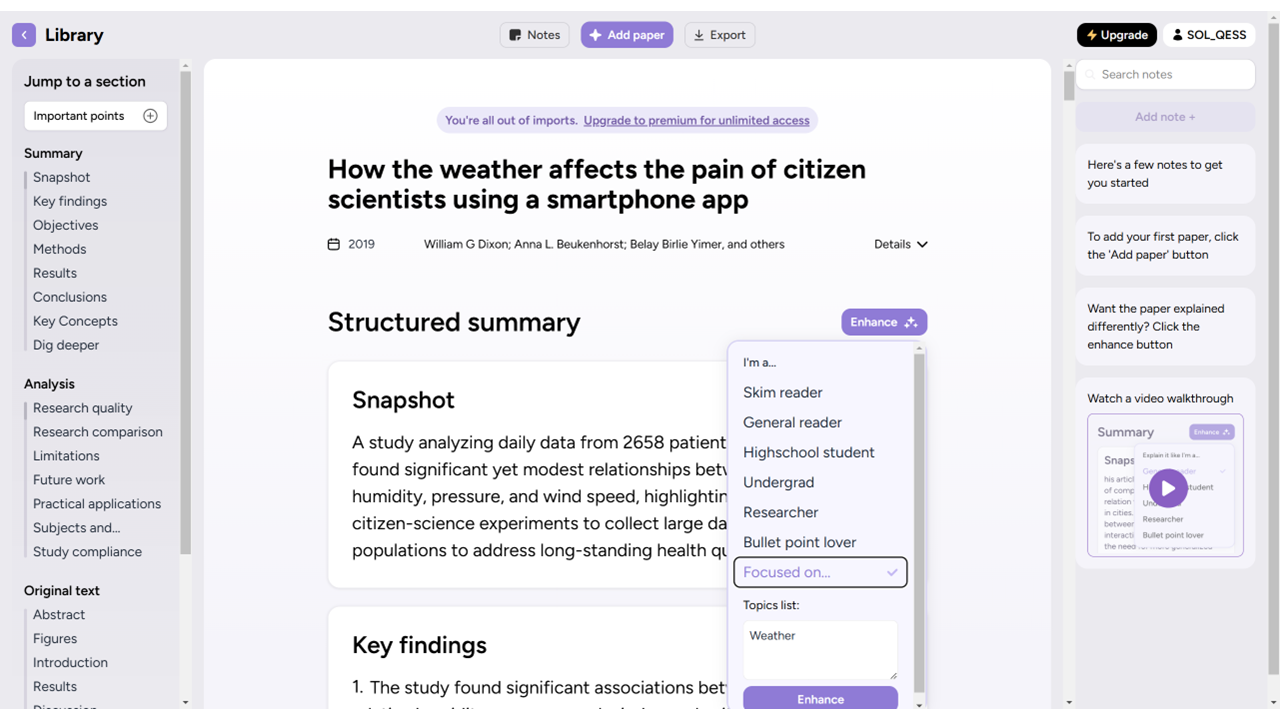
| d. | Click the Enhance button to refine the summary; |
| e. | Select a summary style from the available options; |
| f. | Scroll down to the Dig Deeper section; |
| g. | Enter a question in the text field; |
| h. | Click Ask to query for more detailed answers. |
Convert to Flashcard Format
| a. | Scroll down and locate the Analysis section on the flashcard page; |
| b. | Click on any in-text citation to jump to the reference section; |
| c. | Click the Show findings button next to an in-text citation to view a summary of the cited work; |
| d. | Review the displayed findings for an overview of the cited article's key points. |
Export and Share
| a. | Click the Export button in the top toolbar; |
| b. | Select the desired export format from the dropdown menu. |
Educational Scenarios
Educators' Perspectives
Learners' Perspectives