
This website uses cookies so that we can provide you with the best user experience possible. Cookie information is stored in your browser and performs functions such as recognising you when you return to our website and helping our team to understand which sections of the website you find most interesting and useful.
Font Size:
Introduction
Key Features
Uniqueness
Frequently Asked Questions
Open-Source?
Registration Needed?
Installation Required?
AI-empowered?
Specifications
URL:
Country or Region:
Author(s):
Availability:
Operating System(s):
Language(s):
Registration Needed:
Installation Required:
Video Demonstration
User Guide
This guide outlines how to install and use Koodo Reader for managing eBooks, generating narrations, and converting Chinese characters.
(Reference Version: 1.7.4)
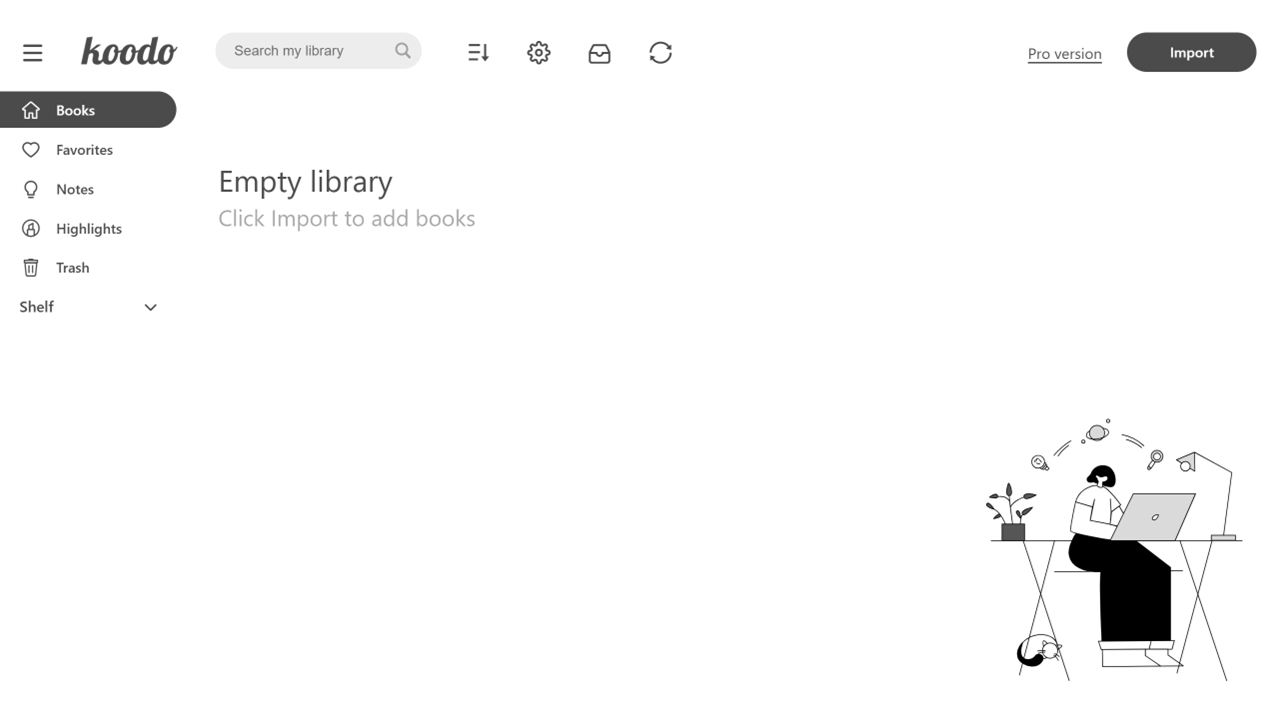
Download and Install Koodo Reader
| a. | Navigate to the website: https://www.koodoreader.com/en; |
| b. | Select the installer version that matches your operating system; |
| c. | Run the installer and follow the on-screen instructions to complete the installation; |
| d. | Launch the Koodo Reader software. |
Import and Manage eBooks
| a. | Open Koodo Reader; |
| b. | Click the Import button on the top panel; |
| c. | Select one or more eBooks from your local drive in the file explorer; |
| d. | Click on a book cover in the library to open and start reading; |
| e. | Right-click on a book to access options such as Add to Favourite, Add to Shelf, Edit book name, or Delete. |
Generate Narrations and Highlights
| a. | Open an eBook; |
| b. | Click the Option icon in the top-right corner; |
| c. | Scroll down and toggle on Turn on text-to-speech; |
| d. | Use the Voice and Speed dropdown menus to adjust the voice settings; |
| e. | Select the desired text using your cursor; |
| f. | Click the Read the text button from the floating menu that appears. |
Convert Chinese Characters
| a. | Open a Chinese eBook; |
| b. | Click the Option icon in the top-right corner; |
| c. | Locate Conversion of Chinese from the dropdown menu; |
| d. | Select either Simplified to Traditional or Traditional to Simplified under the Chinese Conversion section. |
Educational Scenarios
Educators' Perspectives
Learners' Perspectives