
This website uses cookies so that we can provide you with the best user experience possible. Cookie information is stored in your browser and performs functions such as recognising you when you return to our website and helping our team to understand which sections of the website you find most interesting and useful.
Font Size:
Introduction
Key Features
Uniqueness
Frequently Asked Questions
Open-Source?
Registration Needed?
Installation Required?
AI-empowered?
Specifications
URL:
Country or Region:
Author(s):
License:
Operating System(s):
Language(s):
Registration Needed:
Installation Required:
Video Demonstration
User Guide
This guide outlines how to install and utilise the Doco add-in for Microsoft Word, interact with its Smart Library, draft content, and manage citations. (Access Date: 21 August 2025)
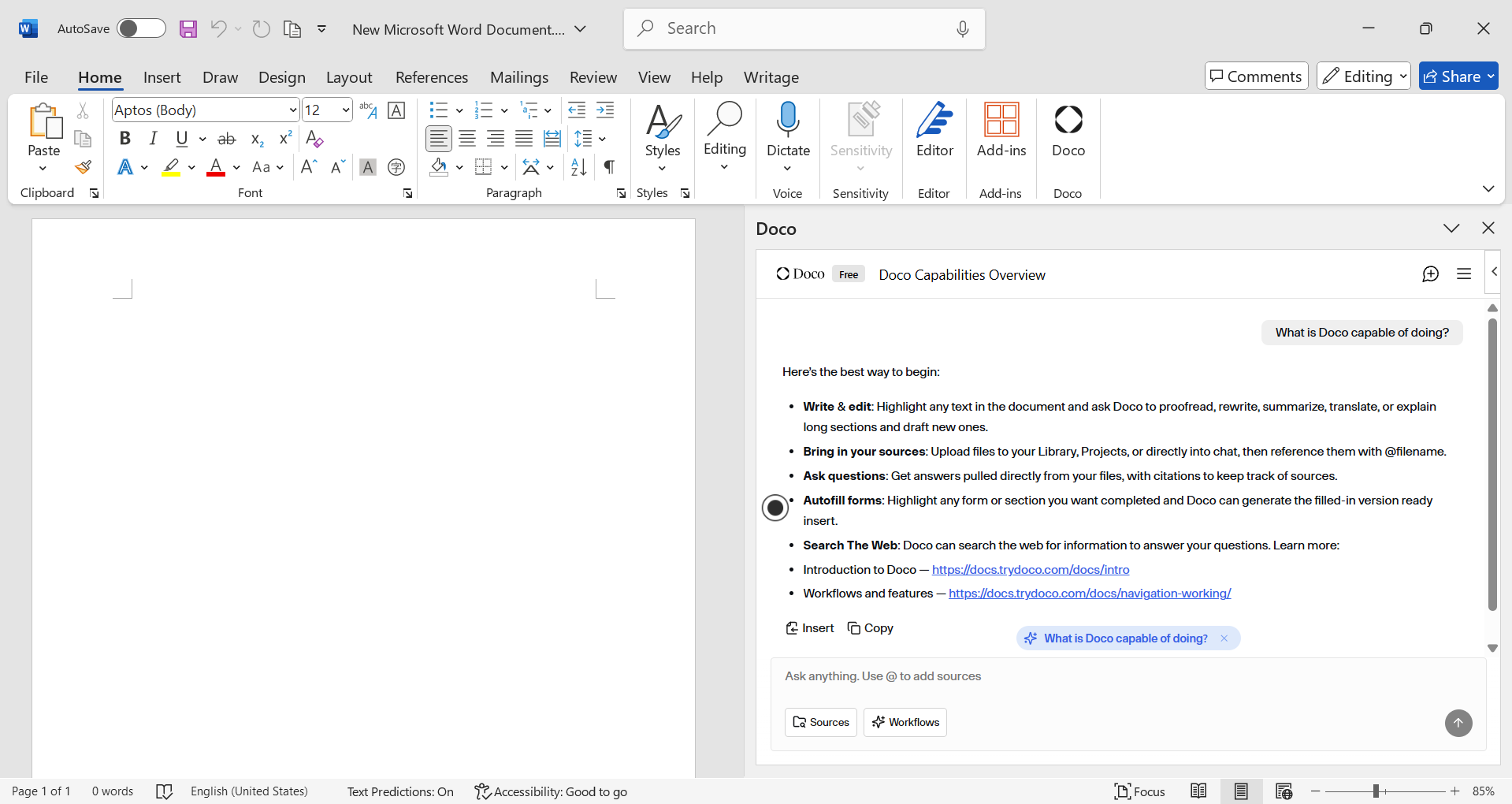
Access and Install Doco
| a. | Navigate to the Microsoft AppSource website or select Home > Add-ins > More Add-ins within Microsoft Word; |
| b. | Search for "Doco" in the AppSource marketplace; |
| c. | Select the Doco application and follow the prompts to add it to your Microsoft Word application; |
| d. | Sign up or log in to your Doco account from within the add-in pane in Microsoft Word. |
Interact with the Smart Library
| a. | Connect Doco to your desired knowledge sources (e.g., SharePoint, OneDrive) within the Doco pane in Microsoft Word; |
| b. | Use the interface to ask questions or search for information contained within your connected files; |
| c. | Receive answers and insights directly from the content of your documents, with the source file cited for each piece of information; |
| d. | Store up to 50 library files on the "Starter" plan (Note: unlimited uploads are available on the "Pro" and "Enterprise" tiers). |
Draft and Edit Content
| a. | Use natural language prompts to instruct Doco to write new sections of a document; |
| b. | Generate tailored, high-quality content by drawing upon information from the Smart Library; |
| c. | Select any generated content and insert it directly into your Word document. |
Manage Citations and Formatting
| a. | Link content to the original source file automatically when Doco provides information or text snippets from your Smart Library; |
| b. | Insert content into your document and click to add an accurate, verifiable citation that points to the source; |
| c. | Apply native Word formatting, such as fonts, styles, tables, bullets, and numbering, correctly upon insertion. |
Access and Cost
| a. | Use the Free Plan for a limited number of credits per day for basic tasks; |
| b. | Select the Starter Plan for $40 USD per month, which includes unlimited credits and priority support; |
| c. | Choose the Pro Plan for $250 USD per month to add cloud integration, AI model selection, and an organisational workspace; |
| d. | Request custom pricing for the Enterprise Plan for larger organisations, which includes features such as Single Sign-On (SSO), custom integrations, and dedicated support. |
Educational Scenarios
Educators' Perspectives
Learners' Perspectives