
This website uses cookies so that we can provide you with the best user experience possible. Cookie information is stored in your browser and performs functions such as recognising you when you return to our website and helping our team to understand which sections of the website you find most interesting and useful.
Font Size:
Introduction
Key Features
Uniqueness
Frequently Asked Questions
Open-Source?
Registration Needed?
Installation Required?
AI-empowered?
Specifications
URL:
Country or Region:
Author(s):
Availability:
Operating System(s):
Language(s):
Registration Needed:
Installation Required:
Video Demonstration
User Guide
This guide outlines how to access the AssemblyAI Playground, transcribe pre-recorded audio files, and engage with an interactive AI voice agent.
(Access Date: 23 July 2025)
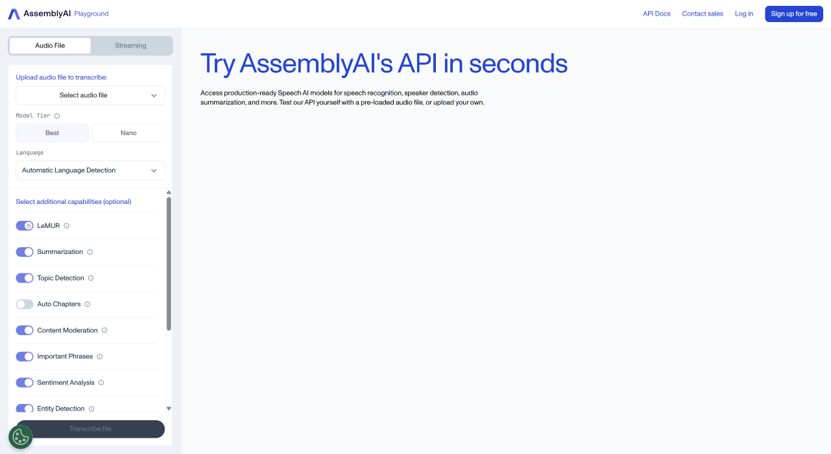
Access AssemblyAI Website
| a. | Navigate to the website: https://www.assemblyai.com/; |
| b. | Click the Try our API for free button to create an account with a Google account or email; |
| c. | Click the Playground tab from the top panel after logging in. |
Transcribe Audio Using AI
| a. | Select Pre-recorded audio from the left panel in the Playground; |
| b. | Choose a provided sample or click the Upload audio button in the Select an audio file section; |
| c. | Select a transcription model from the Select a model section; |
| d. | Click the Transcribe file button to initiate the transcription; |
| e. | View the complete transcript in the main panel on the right once processing is finished. |
Interact with AI Voice Agent
| a. | Select Voice agent from the left panel in the Playground; |
| b. | Choose a pre-configured agent from the Select an agent to interact with section; |
| c. | Click the Start listening button to begin the interaction; |
| d. | Grant microphone access to your browser when prompted; |
| e. | Speak into your microphone and observe the real-time transcription in the main panel; |
| f. | Listen to the AI voice agent's response; |
| g. | Click the Stop listening button to pause the conversation; |
| h. | Click the Start over button to begin a new conversation (Note: Advanced settings can be adjusted as needed). |
Educational Scenarios
Educators' Perspectives
Learners' Perspectives