
This website uses cookies so that we can provide you with the best user experience possible. Cookie information is stored in your browser and performs functions such as recognising you when you return to our website and helping our team to understand which sections of the website you find most interesting and useful.
Font Size:
Introduction
Key Features
Uniqueness
Frequently Asked Questions
Open-Source?
Registration Needed?
Installation Required?
AI-empowered?
Specifications
URL:
Country or Region:
Author(s):
Availability:
Operating System(s):
Language(s):
Registration Needed:
Installation Required:
Video Demonstration
User Guide
This guide outlines how to use Manus for content generation and data analysis, detailing the processes for automated material creation and data visualisation.
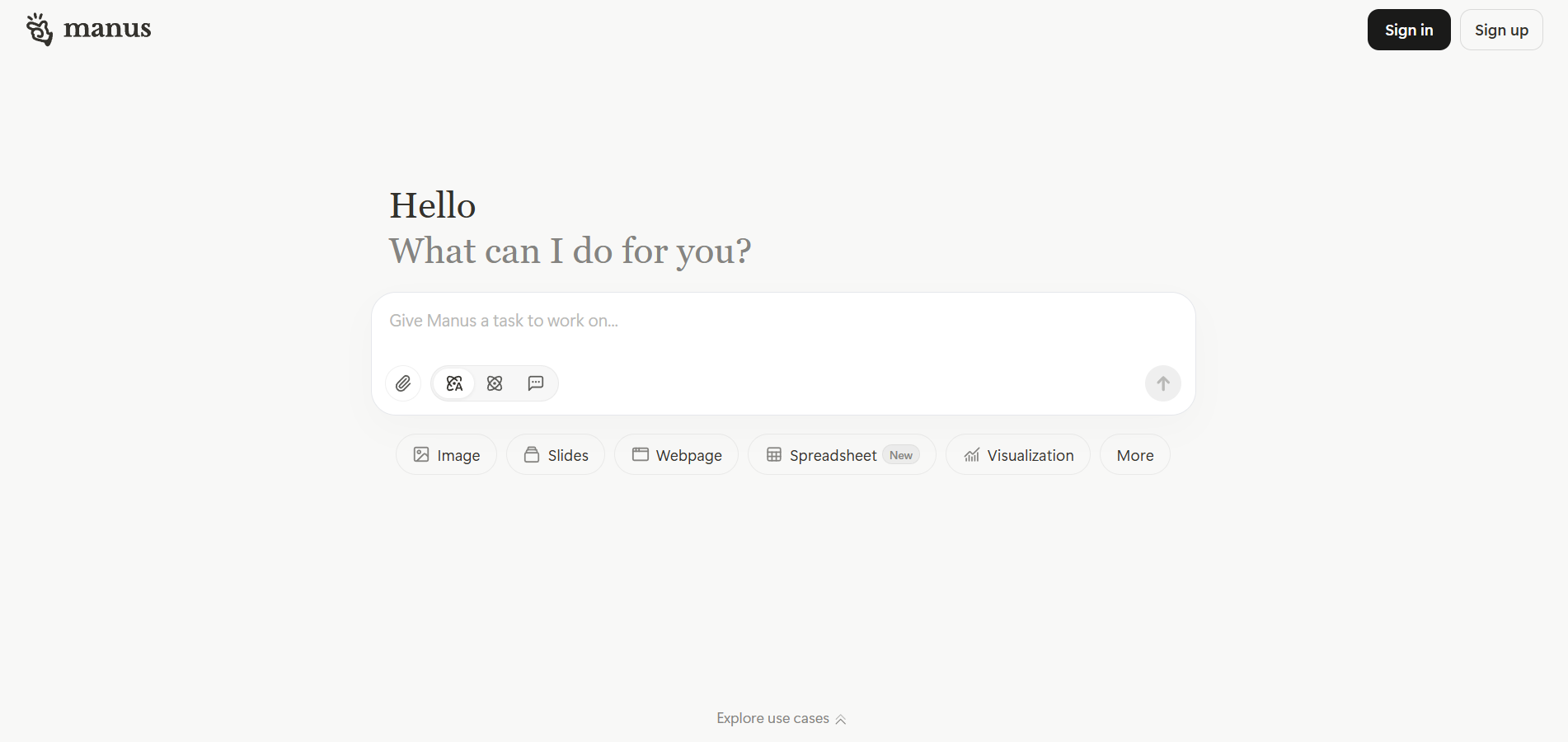
Access Manus Website
| a. | Navigate to the website: https://manus.im/; |
| b. | Click Log in and follow the prompts to sign in or register with a Google account, Apple account, or Email address. |
Generate Materials by Automatic Workflow
| a. | Enter a request into the text field (Note: You can select the content type from the buttons under the text field before entering the request); |
| b. | Click the paper clip icon to upload files; |
| c. | Click the atom icon to set the response mode (Note: Agent mode is used to tackle complex tasks and deliver results autonomously, and the Chat mode gives instant answers); |
| d. | Press Enter to start the generation and provide decisions when prompted; |
| e. | Click the View all files in this task button on the upper-right corner after the task is completed; |
| f. | Open the generated material and click the Download icon to export the file. |
Analysis and Visualise Data
| a. | Click the Visualisation button located below the main input area; |
| b. | Choose an output format and preferred charts (Note: Available output formats include Graph, Slides, Webpage, Spreadsheet, and Report); |
| c. | Describe the dataset and the desired analysis in the main input box; |
| d. | Click the paper clip icon to upload the data file; |
| e. | Click the Send button to generate the chart or graph. |
Educational Scenarios
Educators' Perspectives
Learners' Perspectives