
This website uses cookies so that we can provide you with the best user experience possible. Cookie information is stored in your browser and performs functions such as recognising you when you return to our website and helping our team to understand which sections of the website you find most interesting and useful.
Font Size:
Introduction
Key Features
Uniqueness
Frequently Asked Questions
Open-Source?
Registration Needed?
Installation Required?
AI-empowered?
Specifications
URL:
Country or Region:
Author(s):
Availability:
Operating System(s):
Language(s):
Registration Needed:
Installation Required:
Video Demonstration
User Guide
This guide outlines how to use Whimsical for creating, exporting, and sharing diagrams with others.
(Access Date: 30 July 2025)
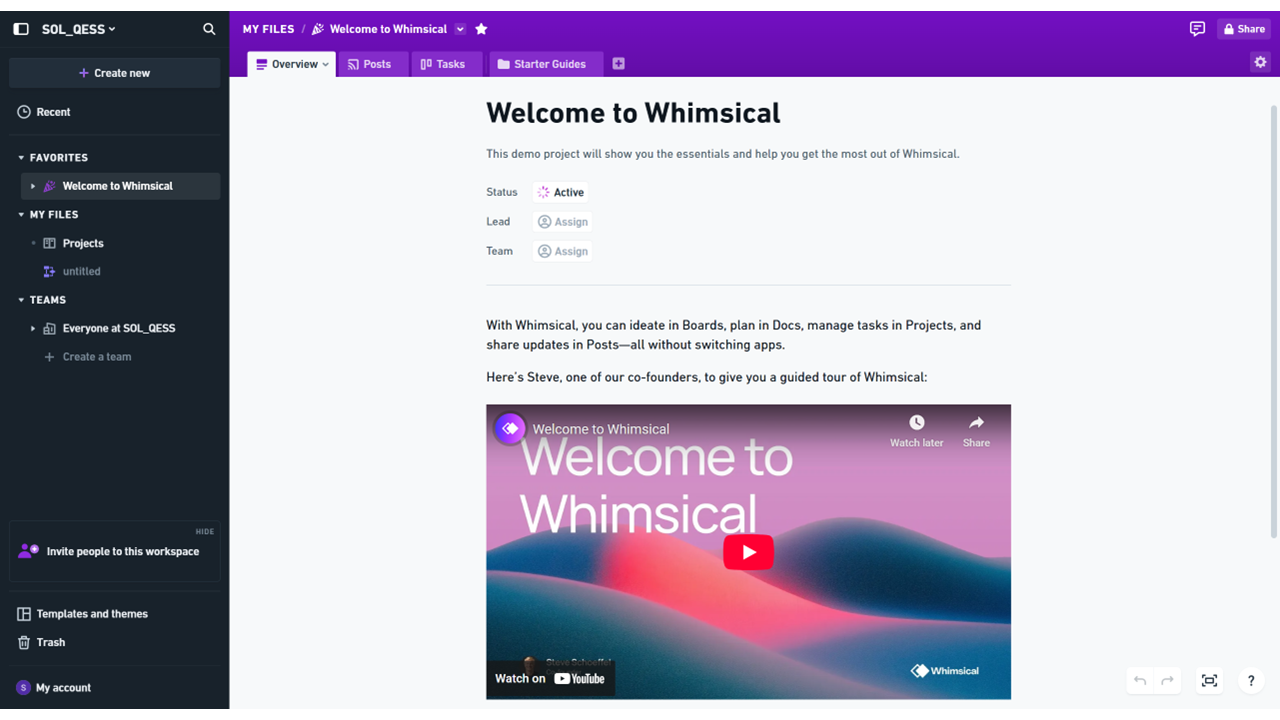
Access Whimsical Website
| a. | Navigate to the website: https://whimsical.com/; |
| b. | Click Log in or Sign up to register or access an account using a Google account or email address. |
Create Diagram with AI
| a. | Click the + Create new button in the top left-hand menu; |
| b. | Select Board from the blank canvas options; |
| c. | Select the Generate with AI icon from the toolbar on the left; |
| d. | Select a diagram type from Auto, Flowchart, Mind map, Sticky notes, and Sequence diagram; |
| e. | Describe the content for the diagram in the text field; |
| f. | Click the Create button to generate the diagram; |
| g. | Click on an element in the generated diagram to edit it; |
| h. | Select a shape and use the contextual menu to change its colour or style; |
| i. | Click and drag the blue dots on the border of a shape to draw connector lines to other shapes; |
| j. | Select All tools from the toolbar on the left; |
| k. | Select a tool to use, including File, Image, Timer, Voting, or Table. |
Export and Share
| a. | Click Share > Export in the top-right corner of the screen; |
| b. | Select the desired size; |
| c. | Click Download or Copy; |
| d. | Choose to Copy image to clipboard or Save image as...; |
| e. | Click Share > Share in the top-right corner; |
| f. | Adjust the permissions for Workspace members; |
| g. | Click Copy link to get the shareable URL. |
Educational Scenarios
Educators' Perspectives
Learners' Perspectives