
This website uses cookies so that we can provide you with the best user experience possible. Cookie information is stored in your browser and performs functions such as recognising you when you return to our website and helping our team to understand which sections of the website you find most interesting and useful.
Font Size:
Introduction
Key Features
Uniqueness
Frequently Asked Questions
Open-Source?
Registration Needed?
Installation Required?
AI-empowered?
Specifications
URL:
Country or Region:
Author(s):
Availability:
Operating System(s):
Language(s):
Registration Needed:
Installation Required:
Video Demonstration
User Guide
This guide outlines how to install the Readest application, import and manage your eBooks, customise the reader settings, and read two books simultaneously. (Reference Version: 0.9.68)
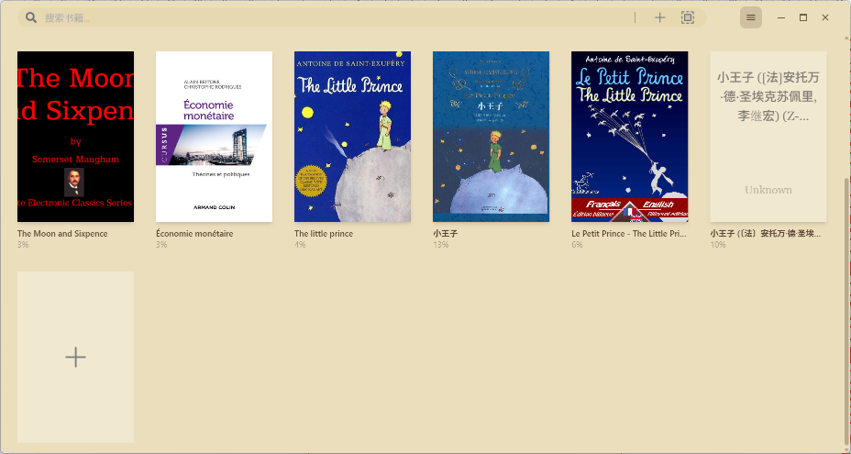
Download and Install Readest
| a. | Navigate to the website: https://readest.com/; |
| b. | Select the version that matches your operating system (iOS, macOS, Windows, Linux, Android, or Web); |
| c. | Click to download the installer or access the web version; |
| d. | Follow the on-screen instructions to complete the installation; |
| e. | Launch the Readest application; |
| f. | Log in or register using your Google account, Apple account, GitHub account, or email. |
Import and Manage eBooks
| a. | Open the Readest application; |
| b. | Click the + icon on the main page to upload local eBooks; |
| c. | Right-click an imported eBook, and click Show Book Details in the context menu; |
| d. | Click the Pencil icon to modify the information about the eBook; |
| e. | Click the Auto-retrieve button to automatically fetch eBook metadata; |
| f. | Click the Save button to apply the changes. |
Customise eReader Settings
| a. | Open any eBook from your library; |
| b. | Click the Aa icon in the top-right corner of the reader interface; |
| c. | Use the Font, Layout, Colour, Behaviour, Language, and Custom tabs to configure your preferred settings. |
Read Two eBooks Simultaneously
| a. | Open any eBook from your library; |
| b. | Click the three-bar icon in the top-left corner; |
| c. | Select Parallel Read and choose a book from the library in the dropdown list. |
Educational Scenarios
Educators' Perspectives
Learners' Perspectives